Stop arguing with AI. Just show it. Drag a screenshot into Claude, ChatGPT, Cursor, or any tool — one screenshot beats ten prompts.
Stop re-prompting. Drag, drop, done.
How it works
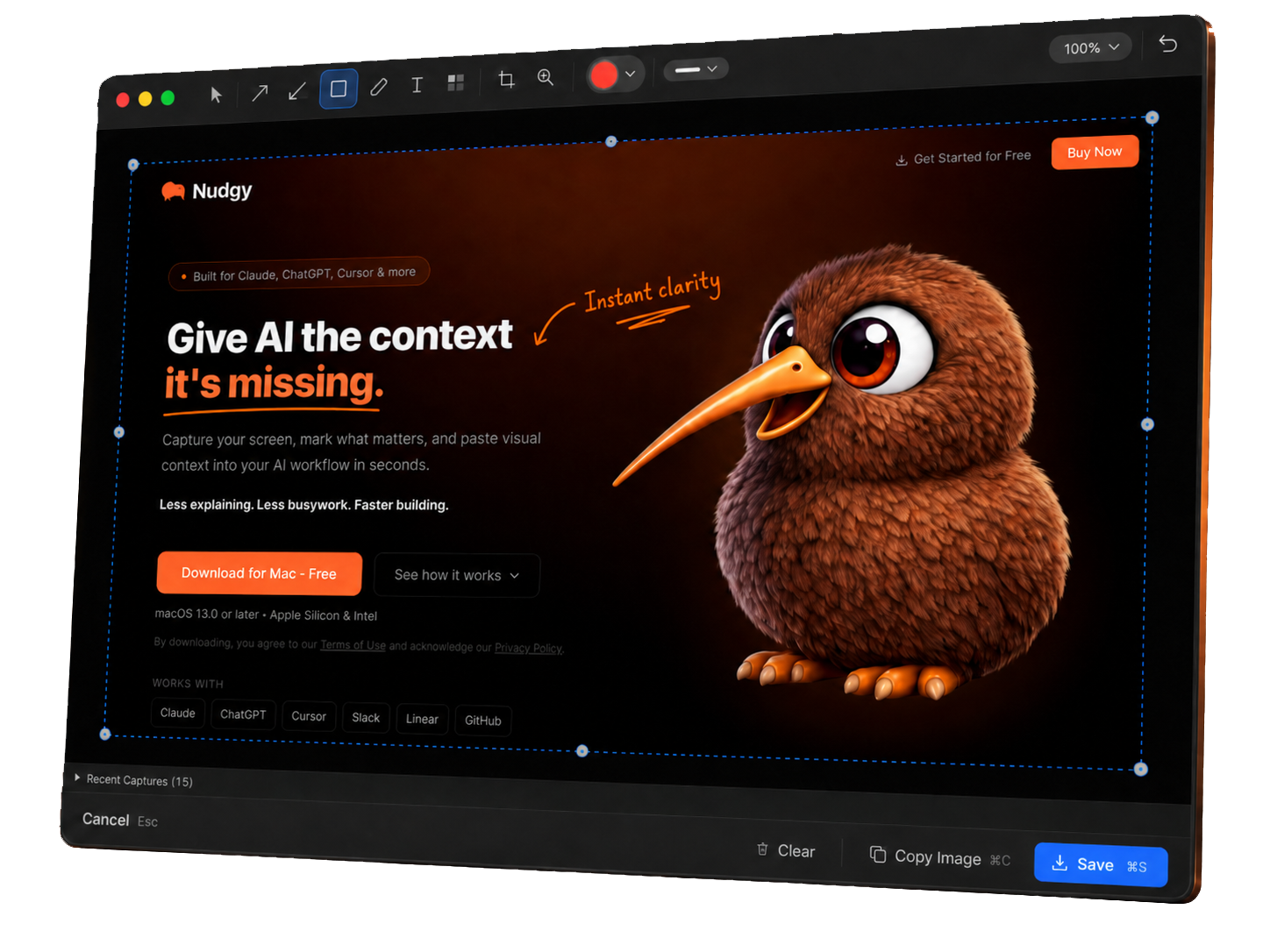
Capture the screen. Mark the important part. Paste it wherever work happens.
Grab a region, window, or screen the moment you see something worth explaining.
Add arrows, boxes, notes, blur, and highlights so people know exactly where to look.
Drop clear visual context into Claude, ChatGPT, Cursor, Slack, Jira, GitHub, or your next product discussion.
Who it's for
Nudgy is for the people who spend their day turning screenshots into decisions, fixes, feedback, and faster AI prompts.
Give Claude, ChatGPT, or Cursor a screenshot instead of a paragraph. Capture UI states, annotate what needs changing, and help AI see what you mean.
Stop describing pixels. Point at them.
Grab screenshots from Slack, apps, or customer reports and mark them up for tickets, slide decks, and quick team alignment.
Turn visual feedback into clearer next steps.
Call out spacing, hierarchy, alignment, copy, and visual polish without writing a design-review novel.
Precise feedback, less back-and-forth.
Show bugs, broken states, layout issues, and implementation details with one clear marked-up screenshot.
Make the issue obvious.
Turn customer screenshots into clear internal context so product and engineering can understand the issue faster.
Customer context, cleaned up visually.
Capture product moments, demo issues, integration questions, and customer feedback without slowing down the conversation.
Fast visuals for technical conversations.
When words are too slow, Nudgy helps the screenshot do the talking.
AI-ready screenshots
Every major AI tool reads images natively. Nudgy lets you drag or paste an annotated screenshot straight into your conversation. Your AI sees exactly what you see — no describing, no guessing.
Privacy-first
In an era of cloud-everything and AI-everywhere, Nudgy takes the opposite approach. Your visual context stays local by default. No surprises.
Screenshots are saved to your Mac. Nothing is uploaded anywhere unless you explicitly choose to share.
Download it, use it. No sign-up, no login, no email verification. Just a tool that works.
Annotating proprietary UI, internal tools, or client work? Your screenshots stay on your machine. We can't see them even if we wanted to.
We don't track usage, collect telemetry, or phone home. The app runs entirely offline.
Scrolling capture
Built-in screenshots give you fullscreen or a selected area. Nudgy captures beyond the viewport — entire threads, long documents, full pages — then drop it into AI for a summary instead of reading every page.
Features
Capture, annotate, and share — without the bloat. Built for speed, clarity, and AI-ready visual context.
Grab a region, window, or full screen without breaking your flow. One global shortcut from anywhere on your Mac.
Use arrows, shapes, blur, highlights, and notes to point attention where it belongs. Mark what matters in seconds.
Paste marked-up screenshots into Claude, ChatGPT, Cursor, and other AI tools so they can understand the visual problem faster.
Share clearer screenshots in Slack, Jira, GitHub, slide decks, support threads, or product reviews. Paste into the tools where work already happens.
Nudgy stays focused on capture and annotation. No bloated workflows, no feature creep. Fast, simple, stays out of the way.
Your screenshots stay on your Mac. No cloud, no accounts, no uploads unless you choose otherwise. Built for sensitive work.
Tiny legs. Big busywork shredder.
Nudgy moves fast, stays out of the way, and helps your screenshots say what your paragraph was trying to.
Pricing
Less explaining, fewer back-and-forths. Free forever for local screenshots.
Start building with visual context. No account needed.
For daily AI builders who need unlimited flow.
billed as $23.88/year
Available soon · No card required
For power vibe coders and teams.
billed as $48/year
Available soon · No card required
Free. No account required.
Download .dmgBy downloading, you agree to our Terms of Use. Provided as-is with no warranty.
Questions
Nudgy is a lightweight Mac screenshot tool for capturing, annotating, and sharing visual feedback. Grab any part of your screen, mark it up with arrows, shapes, blur, highlights, and text, then paste it into AI tools, Slack, Jira, GitHub, or wherever work happens.
It's built for speed. One shortcut to capture, a few clicks to annotate, and you're done.
Nudgy is for vibe coders, product managers, designers, developers, support teams, sales engineers, and anyone in tech who needs to explain what's on screen quickly.
If you've ever spent three paragraphs describing a UI bug you could have just circled, Nudgy is for you.
Yes. Nudgy is useful for giving Claude, ChatGPT, Cursor, and similar tools better visual context. Capture the screenshot, mark what matters, and paste it into your AI workflow.
Annotated screenshots remove ambiguity from prompts. AI models understand images natively — a marked-up screenshot with an arrow pointing at a bug gives far more context than a paragraph trying to describe it.
A normal screenshot shows the screen. Nudgy helps you show what matters.
With arrows, circles, highlights, blur, and text labels, you can point attention exactly where it needs to go. The result is a screenshot that actually communicates — not just a raw capture that requires a paragraph of explanation alongside it.
macOS gives you fullscreen or selected area — that's it. No annotation, no scrolling capture. The moment you need to circle a bug or add context, you're opening Preview and losing your flow.
Nudgy also does scrolling capture — something macOS can't do at all. Grab an entire Slack thread, a 20-page PRD, a lengthy DocuSign contract, or a full error log in one shot. Paste it into AI and get a summary instead of reading hundreds of pages. That's huge for generating tickets from context, digesting long documents, or giving AI the full picture instead of a cropped fragment.
Capture, annotate, paste — one step, not three apps.
No. Nudgy runs entirely on your Mac. No cloud, no server, no analytics, no telemetry. Your screenshots never leave your machine unless you explicitly choose to share them.
This matters especially if you're working on proprietary code, internal tools, or client projects. Your visual context stays private.
A couple seconds. For vibe coding workflows where you just need to show AI what's on screen, it's virtually instant — shortcut, drag, paste.
If you're adding annotations like arrows or highlights, you're still done in a few seconds. The global shortcut triggers from anywhere, so you never leave the app you're working in.
The core product is free forever. Capture, annotate, save locally — no limits on that for 25 screenshots per month, no account required.
Pro tiers unlock unlimited screenshots, shareable links, animated GIFs, and cloud storage for teams that need more. But the free version is a fully capable tool, not a trial.